

 Microsoft Windows
 Microsoft Office
 Music
Music Reading
 Streaming




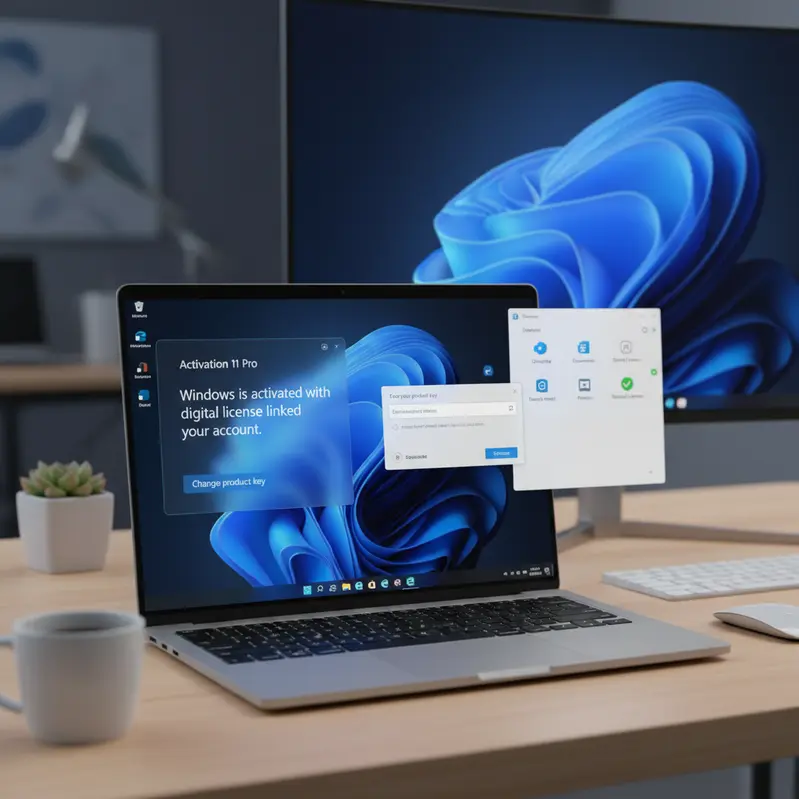
Windows 11 Home or Pro: Get Genuine License 70% Off 2026

Article Content
Choosing between windows 11 home or pro can feel overwhelming when upgrading your PC. However, understanding the differences helps you make the right decision for your needs. Whether you’re a home user seeking basic functionality or a professional requiring advanced features, this guide will clarify which version suits you best. Moreover, you’ll discover where to purchase a genuine windows 11 license key at unbeatable prices. By the end of this article, you’ll know exactly which edition to choose and how to activate it instantly.
What Is Windows 11 Home vs Pro?
Windows 11 represents Microsoft’s latest operating system, offering two primary editions for consumers and businesses. The Home edition provides essential features for everyday users, including the redesigned Start menu, enhanced security through Windows Hello, and seamless integration with Microsoft 365. In contrast, the Pro edition includes everything from Home plus advanced tools like BitLocker encryption, Remote Desktop, Hyper-V virtualization, and Group Policy management. Additionally, Pro supports joining Azure Active Directory and Windows Information Protection for enterprise environments. Both versions deliver excellent performance, but Pro caters specifically to professionals and small businesses requiring robust security and management capabilities. Therefore, your choice depends entirely on your specific use case and technical requirements. Furthermore, both editions receive regular updates directly from Microsoft’s official servers, ensuring optimal performance and security patches.
Step-by-Step Guide: How to Choose Between Windows 11 Home and Pro
Selecting the right edition requires evaluating your actual needs rather than assumptions. Follow these steps to make an informed decision:
- Assess your security needs: If you handle sensitive data or require disk encryption, Pro’s BitLocker feature becomes essential for protecting your files against unauthorized access.
- Evaluate remote work requirements: Pro edition enables Remote Desktop functionality, allowing you to access your PC from anywhere—perfect for professionals working remotely or managing multiple systems.
- Consider virtualization needs: Developers and IT professionals benefit from Hyper-V in Pro, which lets you run virtual machines for testing software or operating systems without additional hardware.
- Check business integration: Organizations using Azure Active Directory or requiring domain joining must choose Pro, as Home doesn’t support these enterprise features.
- Compare pricing vs features: Home offers excellent value for casual users, while Pro justifies its cost through professional-grade tools—especially when purchasing windows 11 home or pro licenses at SpeedKey’s discounted rates.
- Think long-term: Even if you don’t need Pro features today, consider whether your needs might evolve within the next few years.
Why Choose SpeedKey for Your Windows 11 License
SpeedKey stands out as your trusted source for genuine Microsoft licenses, offering unmatched value and service. Indeed, here’s why thousands of customers choose us:
- 100% Genuine Licenses: Every genuine windows 11 license key comes directly from authorized distributors, ensuring full compatibility with Microsoft’s activation servers.
- Instant Email Delivery: Receive your activation key within minutes of purchase—no waiting, no delays, just immediate access to your software.
- Up to 70% Off Retail Price: Save significantly compared to Microsoft Store prices without compromising on quality or authenticity.
- Lifetime Activation Guarantee: Your license remains valid forever with no recurring fees or subscription requirements.
- Official Microsoft Activation: All keys activate through Microsoft’s official servers, ensuring you receive genuine updates and support.
- Dedicated Customer Support: Our team assists you through every step, from purchase to installation, ensuring a smooth experience.
- Money-Back Guarantee: Shop with confidence knowing we stand behind every product with our satisfaction guarantee.
Tips & Best Practices for Windows 11 Activation
Maximize your Windows 11 experience by following these expert recommendations:
- Download from official sources: Always obtain Windows 11 installation media from Microsoft’s official website to avoid corrupted or modified files.
- Create a backup before upgrading: Protect your existing data by creating a complete system backup before installing Windows 11, ensuring you can restore if needed.
- Verify system requirements: Check that your PC meets Windows 11’s hardware requirements, including TPM 2.0 and UEFI firmware, to avoid activation issues.
- Keep your license key secure: Store your genuine windows 11 license key in a safe location for future reinstallations or hardware upgrades.
- Connect to the internet during activation: Ensure stable internet connectivity when activating Windows 11 to communicate seamlessly with Microsoft’s validation servers.
Frequently Asked Questions
Is Windows 11 Pro worth the extra cost over Home?
For professionals, small business owners, or power users, absolutely. Pro edition provides essential security features like BitLocker encryption, Remote Desktop access, and Hyper-V virtualization that justify the investment. However, casual users primarily browsing, streaming, and using basic applications will find Home perfectly adequate. Consider your specific workflow requirements before deciding.
How fast will I receive my Windows 11 license key from SpeedKey?
You’ll receive your activation key via email within minutes of completing your purchase. Our automated delivery system operates 24/7, ensuring instant access regardless of when you order. Additionally, our support team remains available to assist with any questions during the activation process, guaranteeing a smooth experience.
Is the Windows 11 license from SpeedKey lifetime or subscription-based?
All Windows 11 licenses from SpeedKey are lifetime retail licenses, not subscriptions. Once activated, your Windows remains genuine forever without recurring payments. Furthermore, you’ll continue receiving all security updates and feature improvements directly from Microsoft, just like licenses purchased at full retail price.
Can I transfer my Windows 11 license to a new computer?
Yes, retail licenses from SpeedKey can be transferred to different hardware. If you upgrade your PC or purchase a new system, simply deactivate Windows on the old device and reactivate using the same key on your new computer. This flexibility makes retail licenses more valuable than OEM versions tied permanently to specific hardware.
Conclusion: Make Your Windows 11 Choice Today
Understanding the differences between windows 11 home or pro empowers you to select the perfect edition for your needs. Home delivers excellent value for everyday users, while Pro provides professional-grade features for advanced requirements. Moreover, purchasing your genuine windows 11 license key through SpeedKey ensures you get authentic software at unbeatable prices with instant delivery. Therefore, don’t wait—upgrade your system today and experience Microsoft’s most advanced operating system. Click the link above to secure your genuine license now and enjoy lifetime activation with full Microsoft support. Limited-time discounts make this the perfect moment to invest in your digital workspace.
Questions about the license or activation process? We are here to help you get set up fast. Plus, enjoy an exclusive 30% off all products when you order through WhatsApp! Chat with us directly on WhatsApp


