

 Microsoft Windows
 Microsoft Office
 Music
Music Reading
 Streaming




how to find windows 11 product key on my pc: Easy 3-Step Guide 2026

Introduction
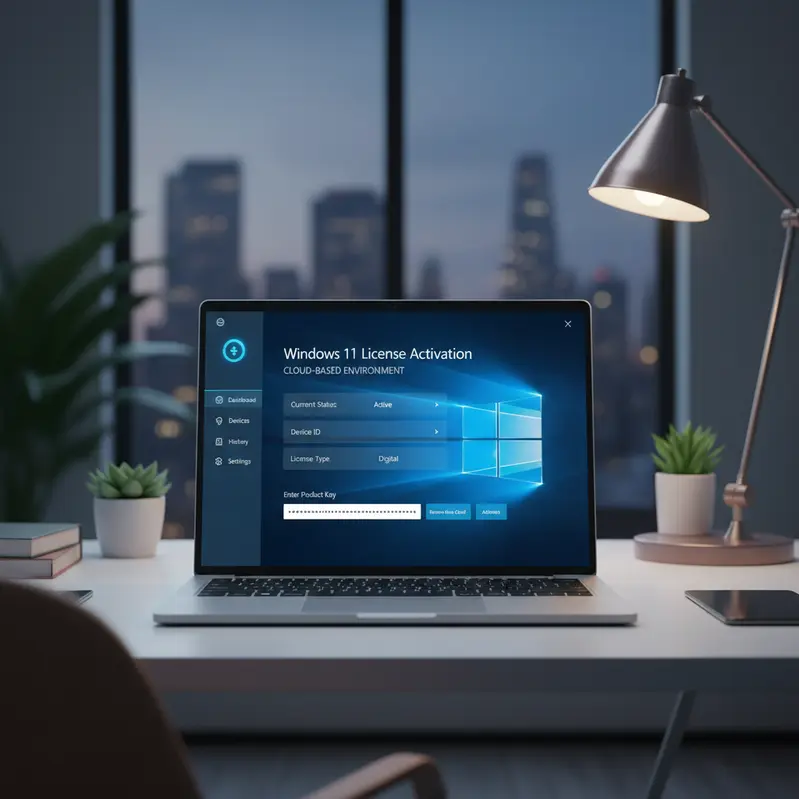
If you’re wondering how to find windows 11 product key on my pc, you’re not alone. Many users need to locate their Windows 11 license key for reinstallation, system upgrades, or troubleshooting activation issues. Fortunately, Microsoft has built several straightforward methods into Windows 11 that allow you to retrieve your product key quickly. In this comprehensive guide, you’ll learn multiple proven methods to locate your activation code, understand what a genuine Windows 11 activation key looks like, and discover where to purchase affordable, legitimate licenses if you need a new one. Whether you’re preparing for a hardware upgrade or simply want to keep your license information secure, this article provides everything you need to know.
What Is a Windows 11 Product Key?
A Windows 11 product key is a unique 25-character code that verifies your copy of Windows is genuine and properly licensed. This alphanumeric sequence follows the format XXXXX-XXXXX-XXXXX-XXXXX-XXXXX and serves as proof of ownership. Microsoft uses these keys to prevent software piracy and ensure users receive official updates and security patches. When you purchase Windows 11 from authorized retailers or digital stores, you receive either a retail license or an OEM license. Retail licenses offer greater flexibility, allowing you to transfer the activation to a new computer if needed. Moreover, genuine licenses guarantee lifetime activation without expiration dates or subscription fees. Your product key connects directly to Microsoft’s official activation servers, validating your system and unlocking all Windows 11 features. Understanding the difference between digital licenses and traditional product keys is essential, as Windows 11 sometimes stores activation digitally through your Microsoft account rather than requiring manual key entry.
Step-by-Step Guide: How to Find Your Windows 11 Product Key
Finding your Windows 11 activation code requires using built-in system tools or third-party utilities. Follow these proven methods to locate your license information quickly:
- Check the original packaging or email: If you purchased a retail copy, the product key appears on a card inside the box or in your purchase confirmation email. Look for a 25-character code in your inbox or spam folder.
- Use Command Prompt: Press Windows + X and select “Command Prompt (Admin)” or “Windows Terminal (Admin)”. Type the command:
wmic path softwarelicensingservice get OA3xOriginalProductKeyand press Enter. This displays your embedded OEM key if available.
- Check PowerShell: Open PowerShell as administrator and enter:
(Get-WmiObject -query 'select * from SoftwareLicensingService').OA3xOriginalProductKey. This method works particularly well for devices with pre-installed Windows.
- Review your Microsoft Account: Navigate to account.microsoft.com and sign in with the credentials linked to your PC. Click “Devices” to view digital licenses tied to your account. Windows 11 often stores activation digitally, eliminating the need to manually enter a key.
- Use third-party key finder tools: Download reputable free utilities like ProduKey or Belarc Advisor. These programs scan your system registry and display your installed product keys securely.
- Check BIOS/UEFI firmware: Many modern computers store the Windows key directly in the motherboard firmware. The commands above retrieve this embedded key automatically without requiring BIOS access.
- Use Command Prompt: Press Windows + X and select “Command Prompt (Admin)” or “Windows Terminal (Admin)”. Type the command:
By following these methods, you can successfully answer how to find windows 11 product key on my pc and secure your license information for future reference.
Why Choose SpeedKey for Your Windows 11 License
If you need to purchase a new Windows 11 license or upgrade from Windows 10, SpeedKey offers unbeatable value and reliability. As a trusted digital products store, we specialize in providing genuine Windows 11 activation key licenses at prices up to 70% lower than official Microsoft retail channels. Here’s what sets us apart:
- 100% Genuine Licenses: Every product key we sell is authentic and sourced directly from authorized Microsoft partners, guaranteeing official activation on Microsoft’s servers.
- Instant Email Delivery: Receive your activation code within minutes of purchase confirmation. No waiting periods or shipping delays—start installing immediately.
- Up to 70% Off Retail Price: Enjoy massive savings without compromising quality or legitimacy. Our volume licensing partnerships allow us to pass substantial discounts directly to customers.
- Lifetime Activation Guarantee: Your license never expires. Activate once and enjoy permanent Windows 11 access with no recurring fees or subscriptions required.
- Official Microsoft Activation: All keys activate through Microsoft’s official servers, ensuring you receive genuine updates, security patches, and full Windows Defender protection.
- Dedicated Customer Support: Our expert team provides technical assistance with installation, activation troubleshooting, and any questions about your purchase. We respond quickly via email and WhatsApp.
Additionally, SpeedKey offers a comprehensive selection of digital licenses including Microsoft Office (2016/2019/2021/2024), Office 365 subscriptions, premium antivirus software (Kaspersky, Bitdefender), and professional Autodesk subscriptions (AutoCAD, Revit, 3ds Max).
Tips and Best Practices for Windows 11 Product Keys
Protecting and managing your Windows 11 license requires following these essential guidelines:
- Store your key securely: Save your 25-character code in a password manager or secure document. Take a screenshot or write it down physically and keep it in a safe location away from your computer.
- Link to your Microsoft Account: Associate your Windows 11 license with your Microsoft account for easy recovery. Navigate to Settings > Update & Security > Activation and select “Add an account” to create a digital license backup.
- Verify activation status regularly: Check Settings > System > Activation to confirm your Windows remains activated. Furthermore, this prevents unexpected deactivation issues after hardware changes.
- Avoid free key generators: Never use illegal key generators or cracks downloaded from untrusted websites. These tools often contain malware, violate Microsoft’s terms of service, and result in permanent activation failures.
- Understand license transfer rights: Retail licenses can be transferred to new hardware, while OEM licenses typically remain tied to the original motherboard. Therefore, purchase retail versions if you plan future system upgrades.
Frequently Asked Questions
Is it safe to buy Windows 11 licenses from third-party stores like SpeedKey?
Yes, absolutely. SpeedKey sells only authentic licenses sourced from authorized Microsoft partners and volume licensing agreements. Every key activates through official Microsoft servers and receives genuine updates. We provide purchase receipts and guarantee full functionality. Indeed, thousands of satisfied customers worldwide trust our platform for affordable, legitimate software licenses.
How quickly will I receive my Windows 11 product key after purchase?
You’ll receive your license key within minutes of completing payment. SpeedKey delivers all digital products instantly via email to the address provided during checkout. Check your inbox and spam folder immediately after purchase. If you don’t receive your key within 15 minutes, our customer support team responds quickly to resolve delivery issues.
Can I use one Windows 11 license on multiple computers?
Standard Windows 11 licenses activate on one computer at a time. However, you can deactivate the license on your current device and transfer it to a new PC if you purchased a retail version. OEM licenses typically cannot be transferred between systems. For multiple installations, consider purchasing additional licenses through SpeedKey’s affordable multi-license packages.
What should I do if my product key isn’t working?
First, verify you entered the 25-character code correctly without typos. Next, ensure you’re installing the correct Windows 11 edition (Home or Pro) that matches your license type. If problems persist, contact SpeedKey’s customer support immediately for troubleshooting assistance. We provide free replacement keys if technical issues prevent activation despite correct entry.
Conclusion
Understanding how to find windows 11 product key on my pc empowers you to manage your Windows activation confidently and prepare for system upgrades or reinstallations. By using the methods outlined in this guide—Command Prompt, PowerShell, Microsoft Account verification, or third-party tools—you can quickly retrieve your license information whenever needed. However, if you’re purchasing a new license or upgrading from Windows 10, choosing a genuine Windows 11 activation key from SpeedKey guarantees authentic activation at unbeatable prices. As a result, you’ll save up to 70% compared to official retail channels while enjoying instant delivery, lifetime activation, and dedicated customer support. Don’t settle for expensive alternatives or risky illegal downloads. Visit SpeedKey today and secure your legitimate Windows 11 Pro license within minutes. Take advantage of our limited-time offers and experience hassle-free activation with genuine Microsoft products.
Questions about the license or activation process? We are here to help you get set up fast. Plus, enjoy an exclusive 30% off all products when you order through WhatsApp! Chat with us directly on WhatsApp


